dxd.link
dxd.link // ONE PAGE FOR EVERYTHING YOU DO // SET UP IN MINUTES /// SCHEDULED BLOCKS // KEYBOARD-FIRST EDITOR // LIVE ANALYTICS // GITHUB ACTIVITY BLOCKS // FREE TO START
[ BETA ]

ONE PAGE.
FOR EVERYTHING
YOU DO.

Put your links, socials, and content on one page and publish it at dxd.link/yourname. It looks good from the start — no design skills needed.

[ SWISS PRINT ]01 / 07
DESKTOP
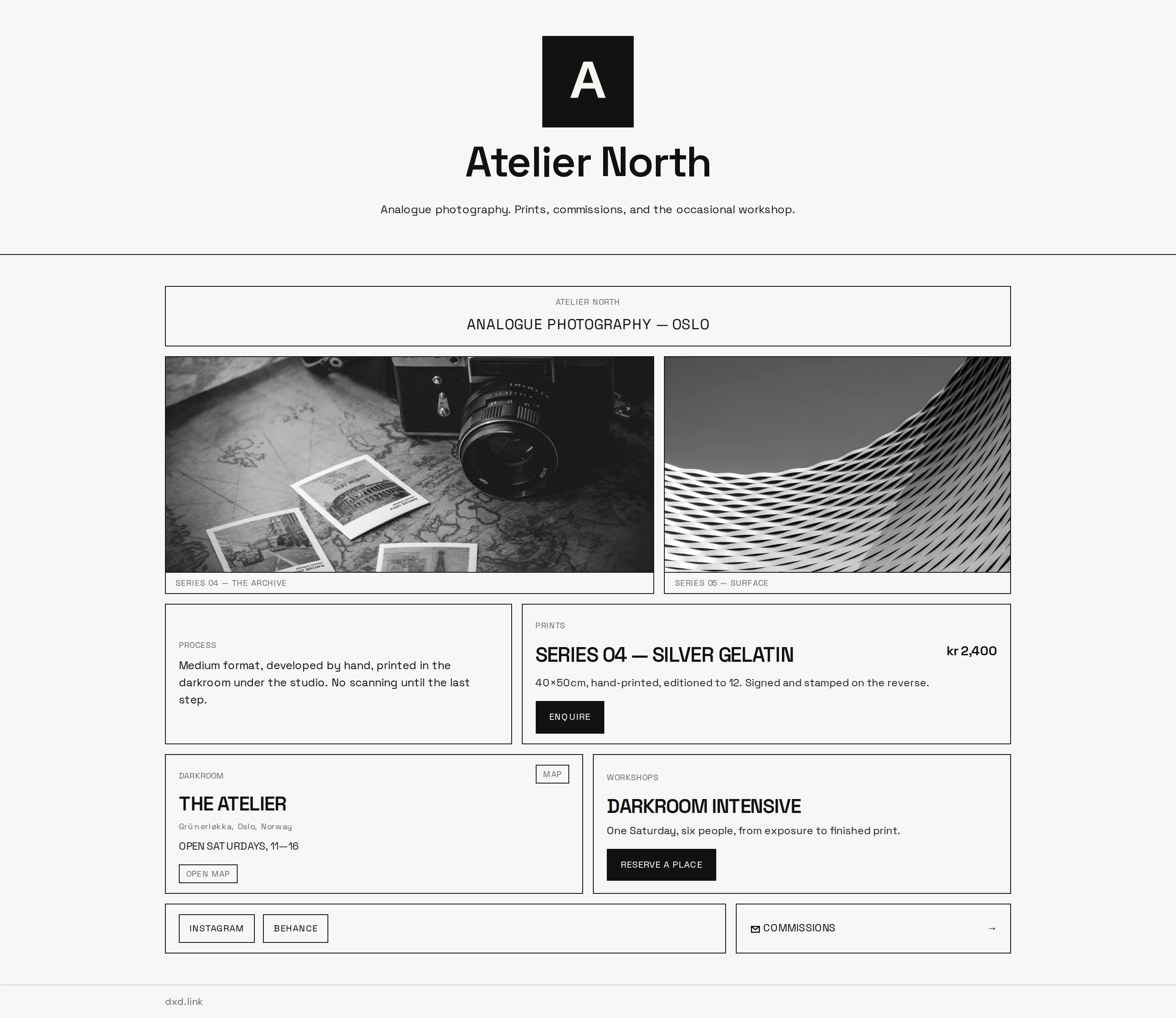
A published Swiss Print studio profile with links, weather, booking, and product cards — desktop
MOBILE
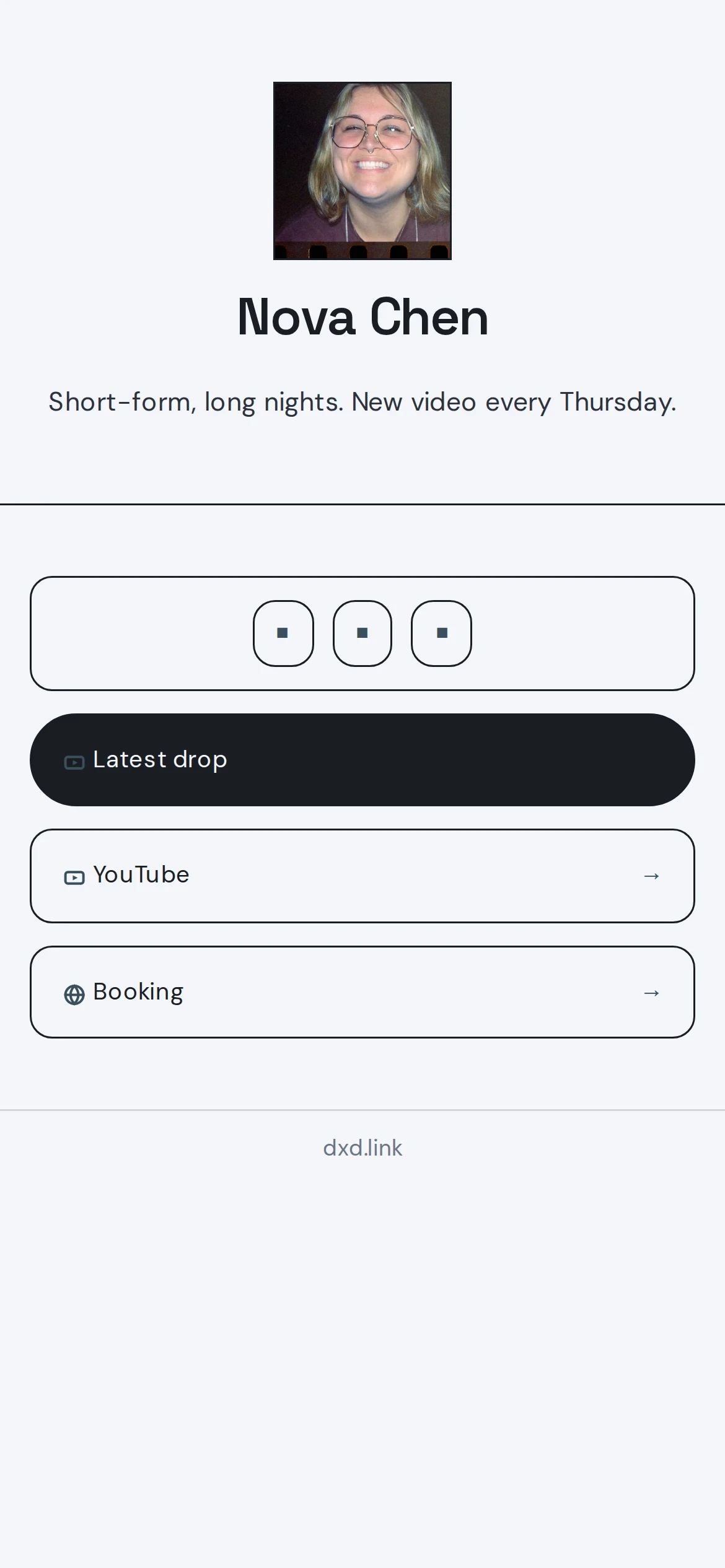
A published Swiss Print studio profile with links, weather, booking, and product cards — mobile

Swiss Print — bold type, hard lines, one accent color.

View meridian

SEC 01REV 2.0

MORE THAN
A LINK LIST.

[ 01 ]+

Looks designed from day one

Strong type, a clean grid, and one accent color you pick. Every block follows the same look, so your page feels put together without any design work.

[ 02 ]+

Keyboard-first editor

Press Cmd-K to add a block, then move, edit, and delete with a few keys. Fast once you learn it — and the mouse works just as well.

[ 03 ]+

Analytics you'll actually read

Views, clicks, and where visitors came from, laid out plainly. No charts to decode — just the numbers you'd actually check.

[ 04 ]+

Your page, as a file

Every page can be exported as JSON — a simple text format you can edit, back up, share, or paste back in. Totally optional, but there if you want it.

[ 05 ]+

Live data on your page

GitHub activity, uptime checks, calendar events, RSS feeds, and live weather — blocks that show real data, not static buttons.

[ 06 ]+

Your own link

Publish at dxd.link/yourname on the free plan — no upgrade required.

[ 07 ]+

Scheduled blocks

Set a start and end time on any block. Great for drops, launches, and limited offers — a Creator and Founding feature.

SEC 02REAL SCREENS

BUILD.
PUBLISH.
MEASURE.

Every screenshot below is the real product, not a mockup. Build on a simple grid, publish to your link, and see what people actually click.

[ 01 ] THE EDITOR
The dxd.link editor with blocks arranged on a twelve-column grid and an appearance panel on the right
Drag on the grid, or drive it entirely from the keyboard.
[ 02 ] THE LIVE PAGE
A published studio profile with links, socials, live weather, a photograph, a booking card, and a product card
Published at dxd.link/yourname on the free plan.
[ 03 ] THE NUMBERS
The analytics dashboard showing views, clicks, top blocks, traffic sources, countries, and devices
Views, clicks, and captures — without storing visitor IPs.
[ 04 ] SEVEN FREE SKINS
Published profiles side by side across five curated free skins — Swiss Print, Night Press, Soft Editorial, Mono Terminal, and Gallery
All seven skins are free — this contact sheet still shows the original five.
SEC 03V1 // 17 TYPES

BLOCKS THAT
TELL YOUR
STORY.

Seventeen block types on one grid. Mix links, media, and live data — weather, GitHub, music — instead of stacking plain buttons.

[ 17 TYPES ]
Marketing block inventory showing the seventeen first-party block types arranged in a print grid
Every block type, captured from the real product.
LINKSOCIALTEXTIMAGEVIDEOWEATHEREMAILNOWGITHUBRELEASESCALENDARFEEDSTATUSBOOKINGMAPPRODUCTMUSIC
SEC 04FREE TO START

FREE TO START.
FAIR AFTER.

[ FREE ]FEATURED
$0

For you, for everyone.

  • + Unlimited links
  • + Skins and accent colors
  • + Search-engine friendly
  • + Live data blocks
  • + Publish at dxd.link/yourname
Get started free
[ CREATOR ]
$4.99/ month

For the creators.

  • + Scheduled blocks
  • + Full analytics
  • + Remove branding
  • + Custom domain
  • + Custom accent color
Start Creator
[ FOUNDING ]
$49.99/ year

Two months free vs monthly Creator.

  • + Everything in Creator
  • + AI Look beta
  • + Founding member badge
  • + 2 months free vs monthly
Join Founding
START FREE TODAY///UPGRADE ANYTIME IN SETTINGS
SEC 05QUESTIONS?

FREQUENTLY
ASKED.

[ Q-01 ]What is dxd.link?

dxd.link is a one-page site and link-in-bio builder. You add blocks — links, socials, videos, weather, text — to a grid, then publish one page that works on mobile and desktop. You can use your dxd.link link anywhere: Instagram, TikTok, X, LinkedIn, email signatures.

[ Q-02 ]Is dxd.link free to use?

Yes. The Free plan lets you build your page, add blocks, and publish at dxd.link/yourname with no trial limits. Creator ($4.99/mo) and Founding ($49.99/yr) add scheduled blocks, full analytics, branding removal, custom domains, and a custom accent color — upgrade anytime from Settings or /pricing.

[ Q-03 ]How do I get started?

Sign up with email, create your page in the editor, add blocks, and publish. Your live link is dxd.link/yourname — copy it into your social profiles. No technical knowledge required.

[ Q-04 ]Who is dxd.link for?

Creators, founders, freelancers, and small businesses who want one page that looks good and works on every device — without hiring a designer or learning a website builder.

[ Q-05 ]How is dxd.link different from other link-in-bio tools?

dxd.link pages look designed by default — strong type, a clean grid, and an accent color you pick. Instead of a vertical stack of buttons, you arrange blocks on a real grid. And your page is a proper website that search engines can read, not a flimsy redirect.

[ Q-06 ]Do you support custom domains?

Yes on Creator and Founding. In Settings → Page, set a hostname (prefer www.yourname.com), create a CNAME pointing to cname.dxd.link, then click Verify. Your dxd.link/yourname URL keeps working.

[ Q-07 ]Are adult creators allowed on dxd.link?

Yes. You may link out to lawful adult platforms. You may not upload or embed sexually explicit media on the page itself, advertise full-service sex work, or sell adult content through dxd.link payments. For adult-primary profiles, turn on the optional 18+ age gate for every tab (Settings → Page → Apply to all tabs), or choose it during onboarding. Mark outbound adult LINK blocks as Sensitive / 18+ as well.

[ Q-08 ]How should I set up work vs personal vs adult tabs?

On Creator/Founding, use + TAB in the editor and pick a template (Work, Personal, Links, etc.). If the account is adult-primary, enable the 18+ age gate on all tabs and set it as the default for new tabs. If you keep a deliberate SFW hub, you can leave that tab ungated — but still mark adult LINK blocks as Sensitive / 18+. Enable Public page tabs in Settings so visitors can switch between your pages.

[ Q-09 ]How do drop windows and rotating CTAs work?

On Creator/Founding, open a block’s Schedule panel. Set go-live and hide times in your page timezone, plus optional before/after placeholder text. Use drop presets (4h / 24h / 48h) for common windows. For rotating CTAs, stack multiple LINK blocks with staggered schedules so the next offer appears when the previous window ends.

SEC 06NO PASSWORD

BUILD YOUR
PAGE.

Sign up with your email, add a few blocks, and publish at dxd.link/yourname. Free plan, no credit card.