Why a roundup, not v1
We shipped a lot of the product people actually need: build, publish, theme, schedule, and own the URL. Calling it version one would imply a finish line. This is the honest inventory of what is live now — so you can use it, share it, or upgrade when a paid tool earns its keep.
One username, many sites
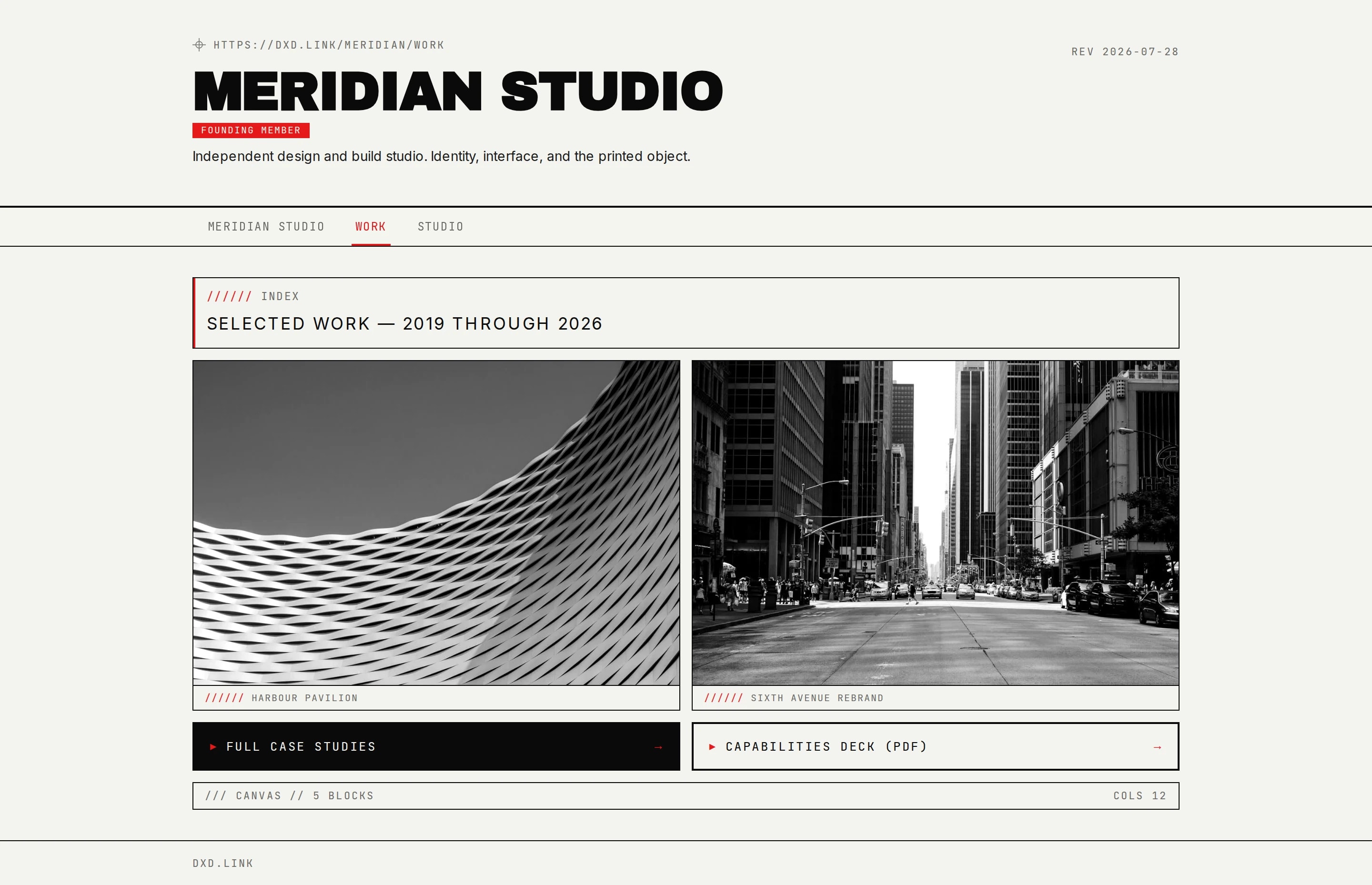
Your handle is the hub. The primary page stays at dxd.link/you. Extra tabs (Work, Personal, Portfolio, Press, and more) nest under that handle — dxd.link/you/work — so short apex paths stay free for real usernames. Each tab can carry its own SEO and share card. Draft stays private until you publish; named layouts let you stash seasonal variants without torching the live page.
A canvas, not a button stack
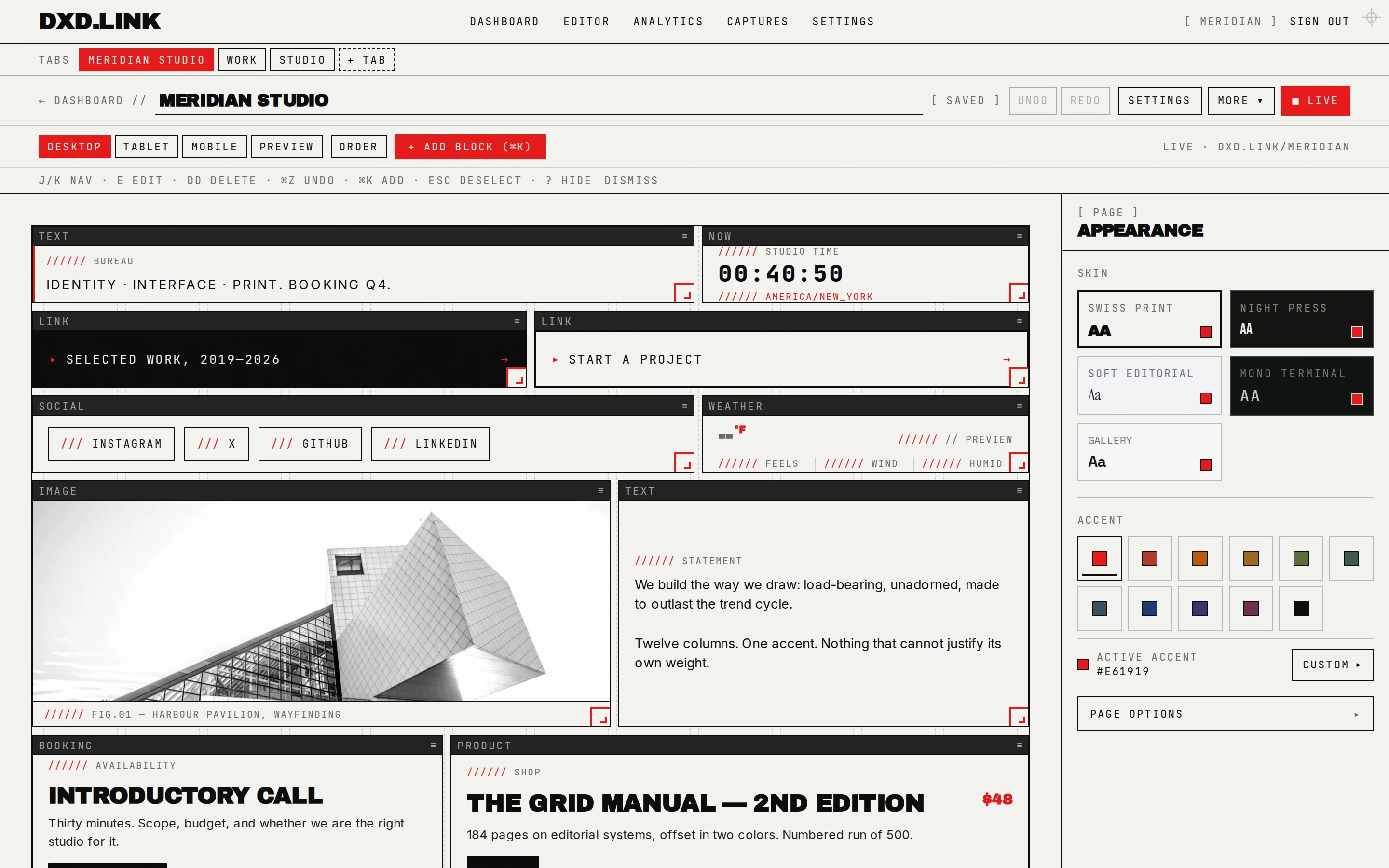
Seventeen block types cover links, socials, text, image, video, email capture, music, product cards, maps, booking CTAs, plus live data — GitHub graphs, weather, RSS, calendar, status checks, and ship logs. The editor is keyboard-first (Cmd-K and a few single-key shortcuts). If you like working in text, export your page as JSON, edit it, and paste it back — or remix a reviewed gallery template.
Look that stays coherent
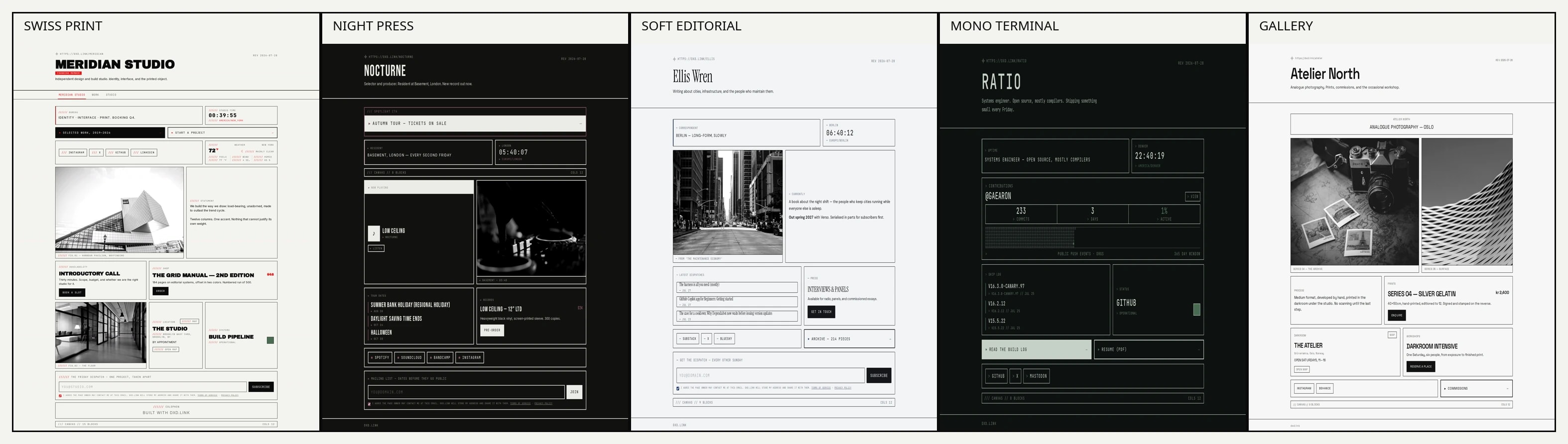
Free skins restyle your whole page — type, spacing, and feel — from the bold Swiss Print and Mono Terminal to the softer Soft Editorial, Warm Atelier, and Clean Canvas. Pick an accent from the presets; Creator unlocks any custom color. Your page, share cards, and the editor all stay in sync, so everything reads as one design.
Drops without babysitting the bio
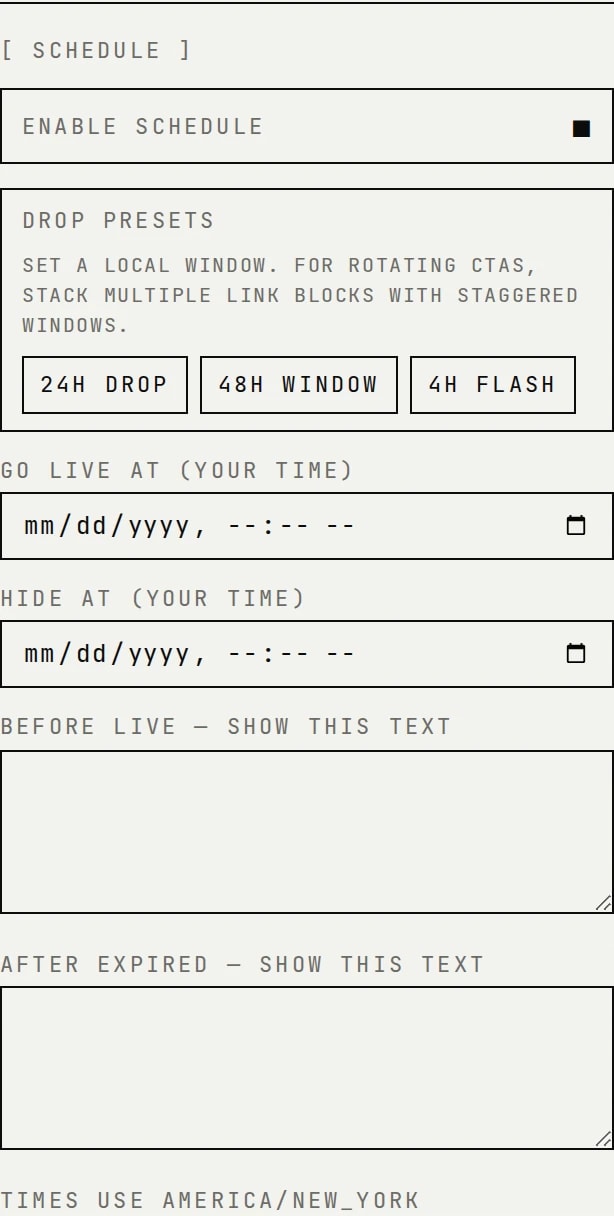
On Creator or Founding, schedule any block with go-live and expiry in the page timezone. Pair evergreen links on the main tab with timed CTAs on a Links tab. Drop presets (4h / 24h / 48h) cover the common launch windows so you are not hand-editing at midnight.
Trust for adult-friendly creators
Outbound adult platforms are allowed under clear Terms and Community rules. You get an optional 18+ age gate per page and Sensitive / 18+ link interstitials so visitors confirm before leaving. Recommended pattern: keep the main tab SFW for Instagram/TikTok bios; put adult destinations on a second gated tab.
Ownership and pricing
Free publishes at dxd.link/yourname with the full block set and skins. Creator ($4.99/mo) and Founding ($49.99/yr) add the extras below without turning dxd.link into an expensive all-in-one platform.
| Free | Creator / Founding | |
|---|---|---|
| Public URL | dxd.link/you | Same + custom domain |
| Blocks + skins | All 17 + curated skins | Same |
| Multi-page tabs | — | Unlimited tabs |
| Block scheduling | — | Per-block windows |
| Full analytics | Basic | Geo, device, CSV export |
| Tracking | UTM defaults | + ad pixels, webhooks, email sync |
| Custom style | Skins + accent presets | + custom hex, font, CSS |
| Branding badge | dxd.link footer | Removable |
Still sharpening
Wildcard subdomains (you.dxd.link) are built but held until DNS and TLS are ready. HTML export and affiliates payouts are not marketed yet. Product notes keep shipping as short What's New posts at /releases — this guide is the wide-angle view.
What to do next
If you already have a page: pick a skin, try a second tab, and publish a draft you have been sitting on. If you are evaluating tools: rebuild one real bio in the editor and share a tab URL that matches the context (Work for applications, Links for a drop). Questions go to /support; plan details live on /pricing.